Know when your agent needs you
A ping on your phone when Claude Code, Codex or any coding agent waits for you. Silence while you are at the keyboard.
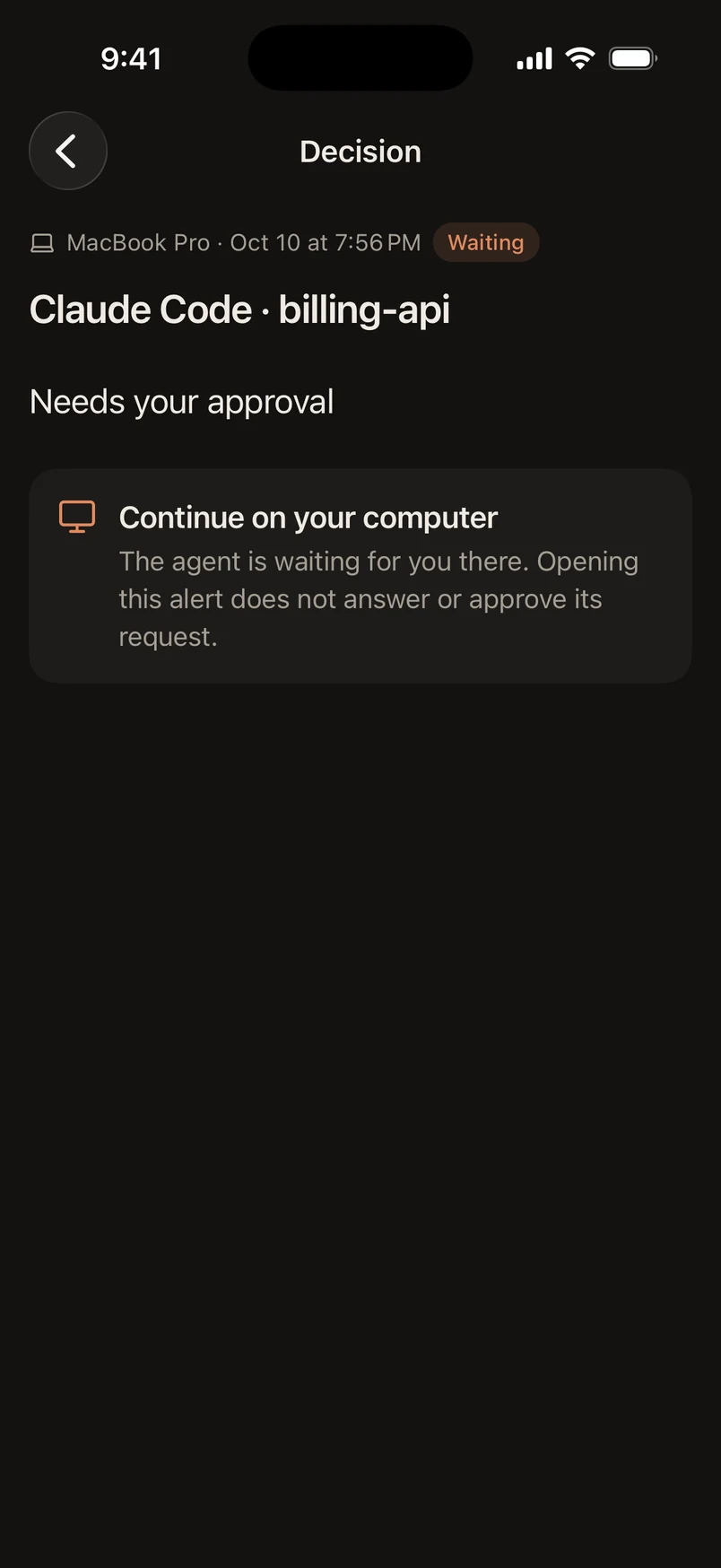
Claude Code asks for permission to run a database migration. Nobody is at the computer, so GreatPing shows “Claude Code · billing-api, Needs your approval” on the iPhone Lock Screen. The command is approved at the computer and the notification clears.


Set up in one command for the agents you already use
- Claude Code
- Codex
- OpenCode
- Pi
- Cursor
- + any script
Product names and logos belong to their owners. GreatPing is not affiliated with them.
Rings when you are away. Quiet when you are not.
Every computer decides how patient to be, and every device when it rings. These are the defaults.
A timeline of one alert: at 0 seconds Claude Code waits; at 30 seconds the iPhone set to First rings; at 90 seconds the iPad set to Standard; at 5 minutes every device including the Pixel set to Backup gets a reminder; once answered, all of them clear.
Your agent stops
Claude Code asks for permission. Nothing rings yet: you might still be at the keyboard.
One inbox for every agent, on every computer.
Approvals and questions first, finished turns after them, each named by agent and project. Nothing to configure before the first alert.
What blocks you comes first
A permission prompt or a question sits above a finished turn. Opening one quiets its reminders on every device.
- Needs your approval
- Has a question for you
- Finished its turn

Your devices, your order
For each computer, choose which phone rings first, which joins later, which only gets the reminder, and which stays silent.

Quiet hours and pause
A nightly window per device, with decisions allowed through if you want. Or pause a device, or a whole computer, for an hour or a week.
Approvals stay on the computer
GreatPing tells you where to go. It never approves anything for you.
On your Lock Screen
Who is waiting and why, at a glance. Project names stay off it if you prefer.

Works where your agent works.
GreatPing sets itself up in your agents’ own settings, so it works in the terminal and in apps built on the same agents, like T3 Code. One small tool covers the rest.
A desktop agent app with three chats in the storefront project. In the first, Claude Code runs a migration and calls GreatPing notify; the phone shows “Claude Code · storefront: Migration finished on staging”. In the second, it waits for permission to run a command; the phone shows “Needs your approval”. In the third, Codex upgrades a dependency and finishes; the phone shows “Codex · storefront: Finished its turn”.
Just ask, in plain words
Say “ping me when the migration is done” in a terminal or in an app on the same agent. The GreatPing skill and MCP tools do the rest.

Nothing from your prompt leaves your computer.
When an agent waits, GreatPing says who is waiting and why. Never the command, the question or a file name. This is the whole alert.
{"kind": "attention","host": "claude-code","reason": "permission","thread": "Xq2mT7vKd9LwPa3eRf8sNb","correlation": "h4Jt0yQeWc6ZrM1uVg5kDo","away": true}
E2E
End-to-end encrypted
Questions, answers and project names are sealed for your devices with HPKE and signed by the sender. Our server relays them and cannot read them.
K7PD-M4XQ
Pairing that proves itself
The second half of the code never reaches our server. Your phone and computer use it to prove they saw the same code before any key is trusted.
7 days
Then it is gone
The content of an alert is deleted a week after it finishes. No email, no password, nothing to leak.
Questions
Something else? Write to support@greatping.com.

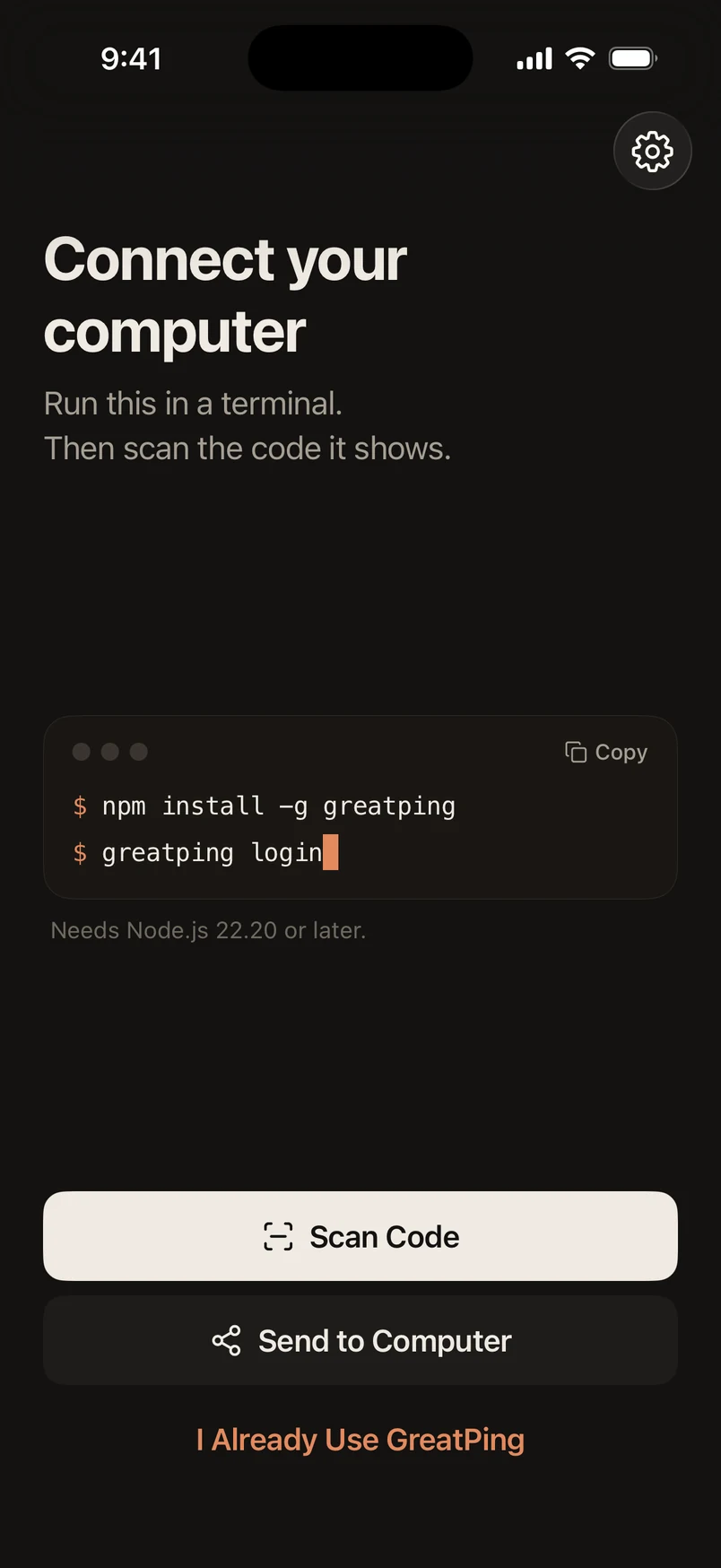
Set up in two minutes
Three commands on your computer, one scan with your phone.
- 01Install the command line tool
- 02Scan the code with the GreatPing app
- 03Choose the agents that alert you